

Set up BuddyPay
BuddyPay is Service Buddy’s built-in payment service. US merchants run on Rainforest Pay; international merchants run on Stripe — both are fully integrated, so card and ACH payments flow straight into Service Buddy on invoices, quotes, and payment links. No reconciling by hand.
What BuddyPay offers
Section titled “What BuddyPay offers”- Credit and debit cards — Visa, Mastercard, American Express, and Discover.
- ACH bank transfers — lower fees than cards, useful for larger invoices.
- Built-in reconciliation — every payment ties back to the invoice or quote it came from. No CSV exports, no manual matching.
- Payouts to your bank — settled funds are deposited into the bank account you connect during signup.
Before you start
Section titled “Before you start”- BuddyPay routes to Rainforest Pay for US merchants and Stripe for international merchants. The processor is set on the backend for your account — contact support if you’re not sure which one is enabled.
- Have your business details ready: legal name, tax ID (EIN/SSN for US, the equivalent for your country), business address, and the bank account where payouts should land.
Connect BuddyPay
Section titled “Connect BuddyPay”- Go to Settings → Service Buddy Payments (under Company Management). The product is called BuddyPay — in Settings it’s labeled Service Buddy Payments.
- Click Connect BuddyPay.
- Follow the application prompts:
- Confirm your business information (legal name, EIN or SSN, address).
- Enter the business owner’s details — required by US payment regulations.
- Add the bank account where payouts will land.
- Submit the application.
- Most accounts are approved within a few minutes. Some businesses are routed to additional review — either way, you’ll get an email when a decision is made.
After you’re approved
Section titled “After you’re approved”- The Pay Now button appears automatically on every invoice and digital proposal you send.
- You can generate a one-off payment link from any invoice.
- Deposits collected at quote approval flow straight into BuddyPay.
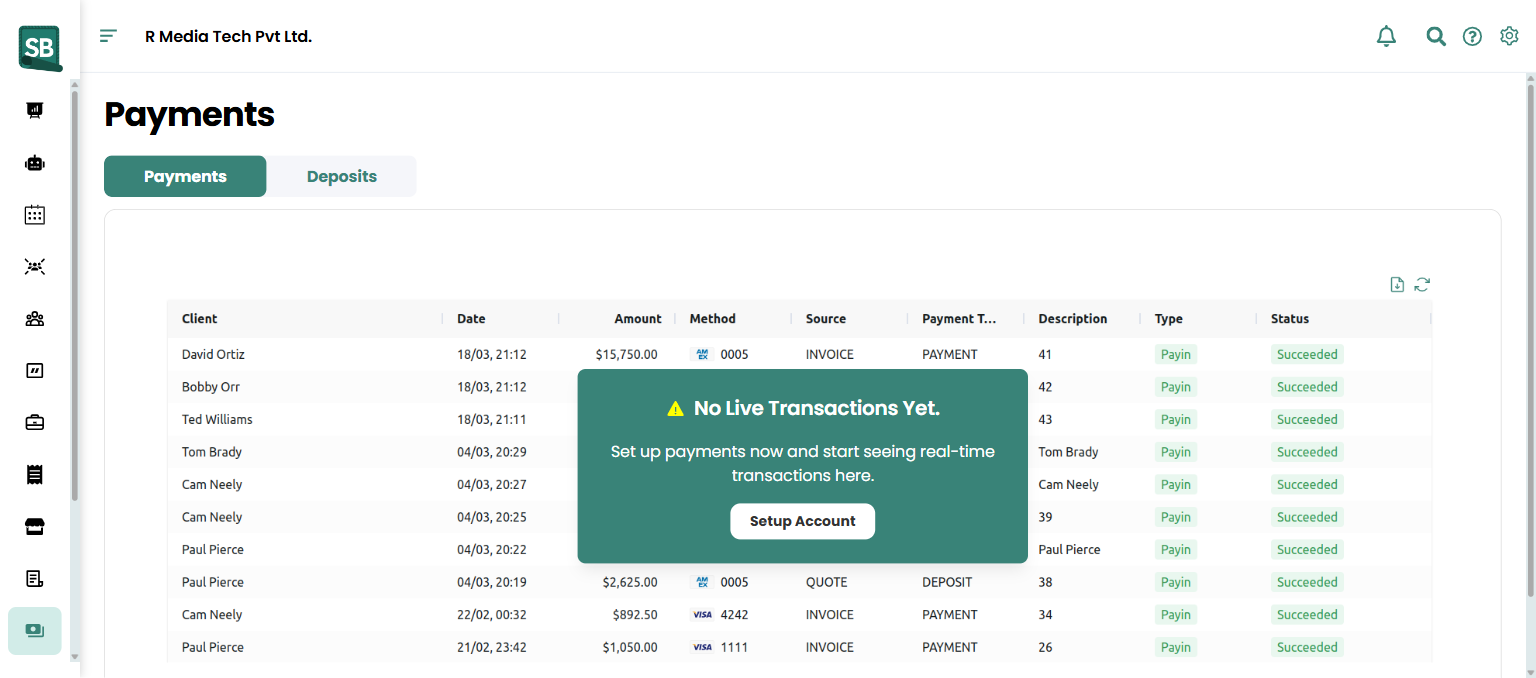
- The Payments view in your dashboard shows processed payments, fees, refunds, and upcoming payouts in one place.
Manage your BuddyPay account
Section titled “Manage your BuddyPay account”From Settings → Service Buddy Payments, you can:
- Change the bank account that receives payouts
- Update your business details
- View processing fees
- Download monthly statements
International payments
Section titled “International payments”BuddyPay supports international merchants through Stripe — fully integrated, same as Rainforest in the US. Card payments are processed and recorded against the invoice automatically. Ask support what’s enabled for your account if you’re not sure which processor backs your payments.
Who is the underlying payment processor for BuddyPay?
It depends on your account. US merchants run on Rainforest Pay — they handle KYC, processing, and bank settlement. International merchants run on Stripe, fully integrated the same way. The processor is set per account on the backend; clients only ever see BuddyPay.
Is BuddyPay available outside the US?
Yes. International merchants get the same end-to-end BuddyPay experience — invoices, payment links, deposits at quote approval, automatic reconciliation — backed by Stripe instead of Rainforest. Contact support if you need it enabled for your account.
How long does it take to get approved?
Most US applications (Rainforest) are approved within a few minutes. International approvals (Stripe) depend on Stripe’s verification, which can be similar or take longer depending on the country and business type. Either way, you’ll get an email when a decision is made.
How long until funds reach my bank?
Standard processor settlement applies — typically a couple of business days from charge to deposit, depending on the payment method (ACH takes longer than cards). Specific timing is set by Rainforest and visible in the Payments view in your dashboard.
What payment methods can clients use?
Credit and debit cards (Visa, Mastercard, American Express, Discover) and ACH bank transfers.
Can I refund a payment?
Yes — refunds for BuddyPay charges go through Service Buddy directly, within 120 days of the original charge. Beyond 120 days, you’ll need to refund manually (check or bank transfer) and record it. See Issue a refund.
What does BuddyPay charge in fees?
Processing fees vary by card brand and transaction type. Your current rates are visible at Settings → Service Buddy Payments, and a monthly statement is available for download.