

Slow performance
If Service Buddy feels sluggish, the cause is almost always one of three things: your browser, the size of what you’re loading, or your internet connection. Work through them in order — each takes less than a minute.
Why does Service Buddy feel slow everywhere?
Section titled “Why does Service Buddy feel slow everywhere?”Cause 1 — Browser cache is out of date
Section titled “Cause 1 — Browser cache is out of date”A stale cache can make pages slow or even break features after an update.
- Open Service Buddy in your browser.
- Press Ctrl + Shift + R (Windows/Linux) or Cmd + Shift + R (Mac) to hard refresh.
- If that doesn’t help, clear your cache for the last 24 hours:
- Chrome / Edge: Settings → Privacy → Clear browsing data → “Cached images and files.”
- Safari: Develop menu → Empty Caches.
- Firefox: Settings → Privacy → Clear Data.
- Log back in.
Cause 2 — Too many browser tabs or extensions
Section titled “Cause 2 — Too many browser tabs or extensions”- Close tabs you aren’t using — each one consumes memory.
- Try Service Buddy in an Incognito / Private window (extensions are disabled there). If it’s fast, one of your extensions is the culprit. Disable extensions one at a time to find which.
Cause 3 — An outdated browser
Section titled “Cause 3 — An outdated browser”Service Buddy supports the latest versions of Chrome, Edge, Firefox, and Safari. Update your browser to the current version and restart it.
Why is a specific page slow to load?
Section titled “Why is a specific page slow to load?”Cause 1 — The list is too big
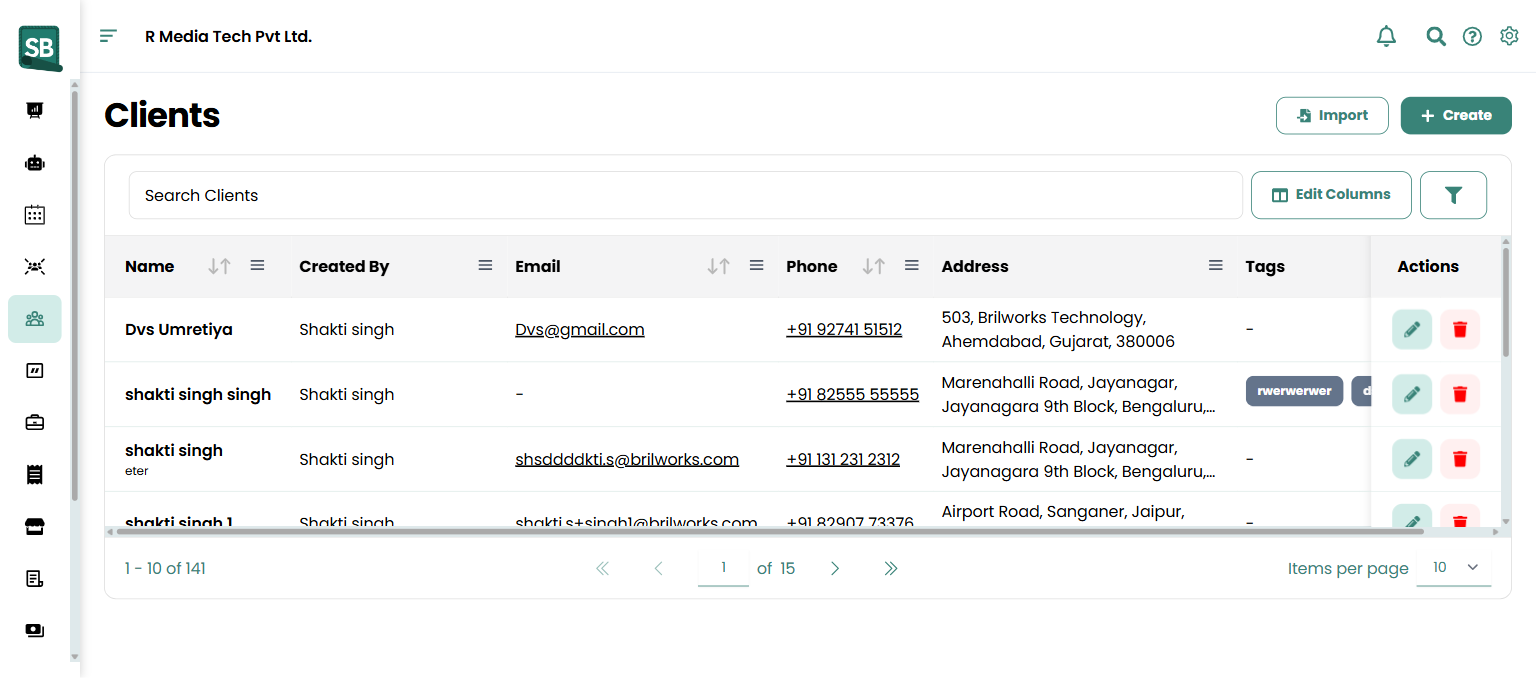
Section titled “Cause 1 — The list is too big”Client, job, and invoice lists can become slow once you have thousands of records if you load them unfiltered.
- Use the filters at the top of the list (date range, status, assigned to, etc.) to narrow the view.
- Reduce the Items per page dropdown to 25 or 50 rows.
- Use the global search (
/) instead of scrolling when you know the record you want.
Cause 2 — Heavy reports
Section titled “Cause 2 — Heavy reports”Reports that span years or include every line item take longer to build.
- Shorten the date range.
- Remove columns or filters you don’t need.
Why do exports take forever or fail?
Section titled “Why do exports take forever or fail?”Exporting thousands of rows to CSV is resource-intensive.
- Break big exports into smaller chunks (e.g. one month at a time instead of a whole year).
- Close other heavy tabs while the export runs.
Why am I getting connection errors or random disconnects?
Section titled “Why am I getting connection errors or random disconnects?”Cause 1 — Unstable Wi-Fi
Section titled “Cause 1 — Unstable Wi-Fi”- Check your signal or switch to a wired connection.
- Try loading another site — if it’s also slow, the issue is your network.
Cause 2 — A VPN or corporate firewall
Section titled “Cause 2 — A VPN or corporate firewall”Some VPNs route traffic through distant servers and add lag. Test without the VPN. If that fixes it, talk to your IT team about whitelisting Service Buddy.
Cause 3 — Service Buddy itself is degraded
Section titled “Cause 3 — Service Buddy itself is degraded”Rare, but possible. Check our public status page (linked from Contact support) for ongoing incidents.
If performance is still slow after trying the above, reach out with your browser version, a screenshot of the slow page, and the approximate time it happened so we can investigate on our end.